The most efficient way to improve your listening
(in our humble opinion)

(in our humble opinion)
VideoAnki allows you to convert your favorite videos into Anki decks with flashcards like this one
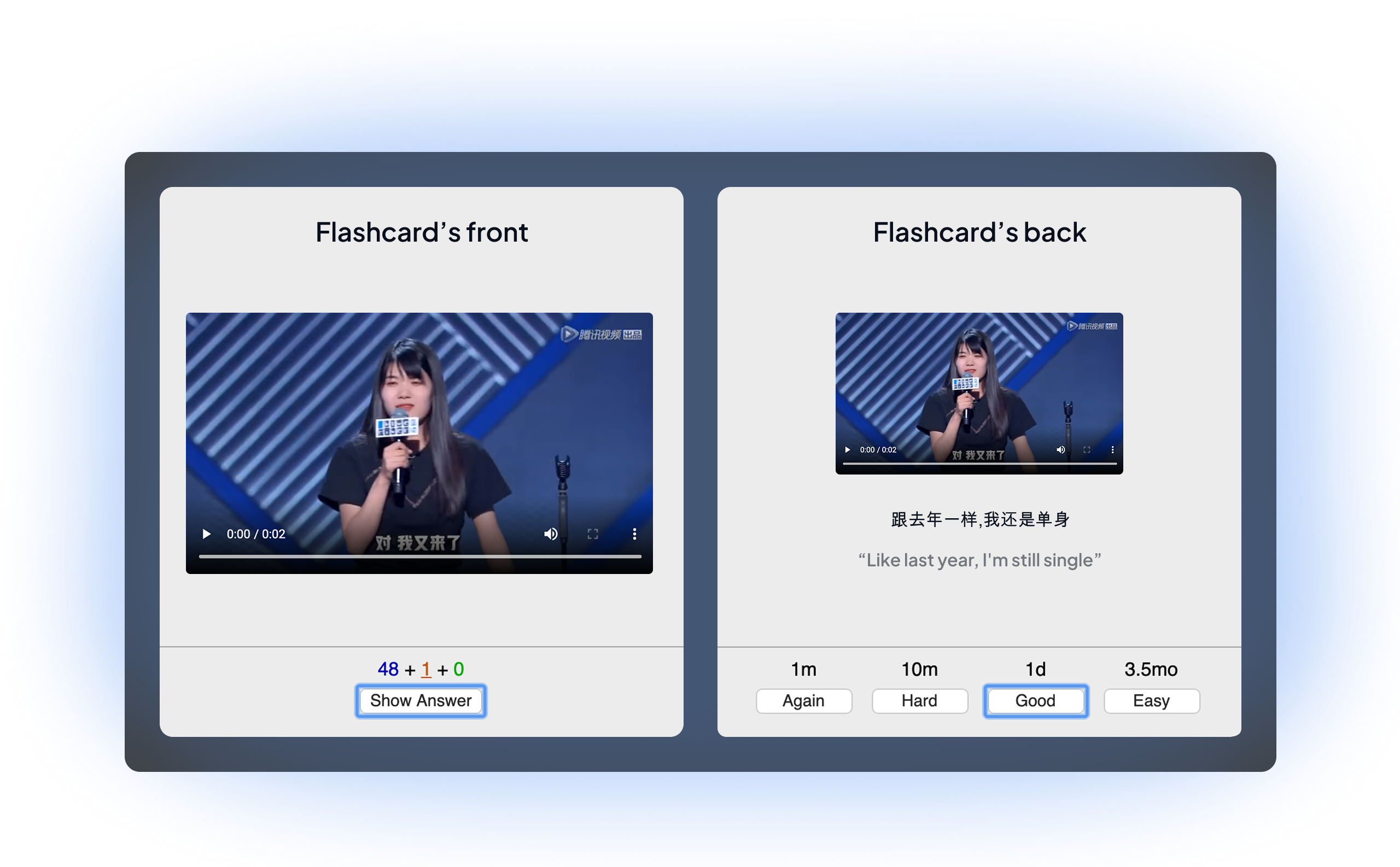
When you convert a video, it generates subtitles for it and automatically creates a flashcard like this one for each subtitle.
For me, those decks are the fastest way to improve listening.
Why??
Because, unlike with traditional apps, with these decks, you’re exposed to how people actually speak in real-life situations, with all the imperfections, nuances, and natural rhythms of native speech, not carefully articulated phrases designed for learners.
Plus, with the flashcards system, where subtitles are hidden at first, you’re truly training your listening skills. You’ll learn to rely on your ears, not just your eyes, for real progress.
How to convert a video for yourself?
1. Pick a video file you'd like to convert (any video file type works)
2. Fill the form below (you'll need to upload the video file you picked)
Is it free ?
Each video conversion costs money because of API calls (audio transcription, translation...), plus the costs of hosting the website and the time spent improving the converter.
Here's the deal I came up with so you can try stuff out for free, and I don't go bankrupt :
You get 3 free full-video conversions per month (up to 60 minutes each). Your monthly allowance resets on the same day you signed up.
After your 3 free conversions: Full video pricing is based on video length:
• Under 15 min: €0.50
• Under 30 min: €1.00
• Under 60 min: €2.00
Ready?

If you want to convert a video from youtube?
You can use Notube, a website that will allow you to download the youtube video as a video file:
1. Go to this page and copy-paste the link of the youtube video you'd like to download
2. Select "MP4" in the blue dropdown, click on "Ok" and you'll be able to download the video.
3. Then you'll just need to fill out our form with the video file as mentioned above.
Some encouraging feedback we received
"Your decks are helping me make huge progress. It's always such a great moment when I review or discover new cards, and it's clearly helped me reach a whole new level!" - Théo, learning Turkish
"This concept is extremely cool, i can't describe my happiness when i first use it"" - Ilyas, learning French
"The best part about this program is that it allows for listening directly within FSRS! It’s such a fantastic add-on, just as I expected." - Hiro, learning English
"The job you guys are doing is amazing.. I'm glad that i tried this. It is exactly what serious language learners were looking for" - SR, learning Czech
A little bit about me
I'm a French developer based in Paris. I built VideoAnki to help language learners improve their listening comprehension.
I was learning Arabic, and a friend of mine was learning Portuguese. We both loved the process but struggled a lot with listening comprehension — that's how we came up with this Video to Anki converter idea that, I hope, you will appreciate.

Once downloaded, you should find your Anki deck file in your Downloads folder or in another folder you may have chosen. To use the deck, double-click on the downloaded file. It should then appear in Anki, in your deck list.
Thanks a lot for your trust, we hope you'll enjoy using our decks.
Made by Noé - Legal Notice

